Open Sim Relay (OpenSR) is in development, this is for me another major contribution to the sim racing community. An ambitious project, super open sim racing manager for games, apps and hardware, limitless expansion, 100% Open! 100% Free, 100% Extensible!
Currently In Development, stay tuned…
Visit EKSIMRacing Foundation for more info.
General Questions
What is Open Sim Relay (OpenSR)?
An open-source middleware designed to bridge applications that send data or telemetry (such as games or custom apps) to motion simulators, robotic systems, sim racing hardware, steering wheels, digital dashboards, leaderboard systems, telemetry applications, mobile devices (Android, iOS), IoT systems, USB devices, and more. It captures data from supported games (via IN plugins) and relays it to Out plugins.
Is OpenSR free?
Yes. OpenSR is free to use. The core application is distributed as a closed but freely available binary, while plugins can be open-source or proprietary depending on each developer’s choice.
Which games are supported?
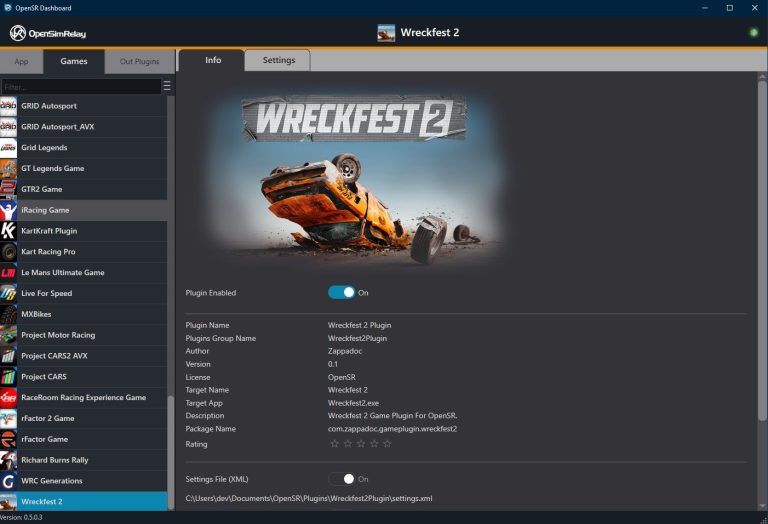
Any game can be supported by writing a dedicated Game plugin. OpenSR will support a wide range of major racing titles, including but not limited to:
Studio 397
Le Mans Ultimate,
rFactor Pro**,
rFactor 2,
iRacing
iRacing,
Kunos Simulazioni
Assetto Corsa Pro**,
Assetto Corsa Rally,
Assetto Corsa EVO,
Assetto Corsa Competizione,
Assetto Corsa,
KW Studios (Sector3)
RaceRoom Racing Experience,
All EA / CodeMasters games
WRC
EA SPORTS WRC 2023,
F1 Games
Codemasters / EA F1 25,
Codemasters / EA F1 24,
Codemasters / EA F1 23,
Codemasters / EA F1 22,
EA Grid Legends,
All CodeMasters games
Codemasters F1 2021,
Codemasters F1 2020,
Codemasters F1 2019,
Codemasters DiRT Rally 2.0,
Codemasters F1 2018,
Codemasters F1 2017,
Codemasters DiRT 4,
Codemasters DiRT Rally,
Codemasters F1 2016,
Codemasters F1 2015,
Codemasters F1 2014,
Codemasters F1 2013,
Codemasters F1 2012,
Codemasters F1 2011,
Codemasters F1 2010,
Codemasters GRID Autosport,
Codemasters GRID2,
Codemasters DiRT3,
Codemasters DiRT2,
Codemasters GRID,
ALL REIZA Studios
Automobilista 2,
SMS Games
Project CARS 3,
Project CARS 2,
Project CARS,
Others
Forza Motorsport 2023,
Forza Horizon 4,
Forza Horizon 5,
Forza Motorsport 7,
BeamNG Drive,
KartKraft (Black Delta),
PiBoSo Kart Racing Pro,
PiBoSo MX Bikes,
PiBoSo GP Bikes,
PiBoSo World Racing Series,
GRally,
Live For Speed
SCS Software Truck Sim:
Euro Truck Simulation 2,
American Truck Simulator
** special version for PRO available on demand (not free)
What are the system requirements for OpenSR?
OpenSR is designed to be extremely lightweight, the core relay itself typically uses under 1% CPU and only a few megabytes of memory.
Actual resource usage may vary depending on the plugins you load, as each plugin manages its own processing independently.
- Operating System: Windows 10 or Windows 11 (64-bit)
- CPU: Any modern x64 processor
- Memory: Minimal (a few MBs for shared buffers and plugins)
- Storage: Only a few megabytes required for the core and plugin folders
OpenSR is designed to run quietly in the background without impacting your game performance.
What can I connect OpenSR to?
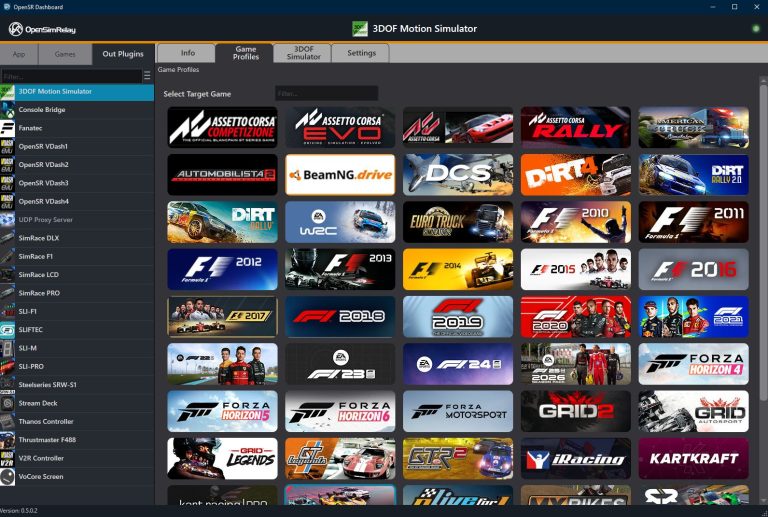
Almost anything! Dashboards app, leaderboard app, motion simulator platforms, LEDs, displays, data loggers, Arduino/ESP devices, robots, or even hardware with custom network protocols.
Functionality & Architecture
How does OpenSR work?
OpenSR uses a core relay server that hosts shared memory structures.
- Game plugins push telemetry into the core.
- Out plugins read and forward it wherever you want.
It’s fast, lightweight, and designed to run quietly in the background.
What is a “plugin” in OpenSR?
A plugin is a dynamic module (DLL) that extends OpenSR.
- Game Plugins bring data in.
- Out Plugins send data out.
Each lives in its own folder with optional settings and resources.
How do I configure plugins?
Each plugin’s folder can contain:
- settings.xml or settings.dll for configuration
- Or any custom settings format (JSON, INI, etc.)
Developers are free to manage settings in their preferred format.
Usage & Integration
Does OpenSR support running multiple plugins at once?
Yes. You can run one Game plugin and multiple Out plugins simultaneously, for example, sending telemetry both to a dashboard and to a motion platform.
Can OpenSR run multiple games at once?
No. OpenSR is designed to handle one active game at a time, but it can support any game, depending on the plugin loaded.
Does it require admin privileges?
Only if a specific plugin does. The core itself runs as a normal user process.
Can I use OpenSR with custom hardware or drones or robots?
Yes. OpenSR isn’t limited to game telemetry, it features two shared data channels:
- a structured telemetry buffer for game data, and
- a generic blob buffer (32 KB) for any custom or non-standard data.
This blob channel lets plugins exchange any kind of information, making OpenSR ideal for custom hardware, IoT systems, drones, robots, or experimental prototypes. If your application can produce or consume data, OpenSR can relay it.
Development & Customization
Can I create my own plugin?
Yes. OpenSR provides clean C++ headers and interfaces in OpenSR Plugins Interface/.
You can build a new plugin using Visual Studio 2015 or later, with minimal dependencies. You can write Game (IN) or Out plugins; C++ is the recommended/native option (OpenSR exposes the native interfaces IOpenSRPlugin and IOpenSROutPlugin), but you are not limited to C++. Plugins can be authored in any language by using a wrapper or interop layer C#, Python, Java, etc. are all possible.
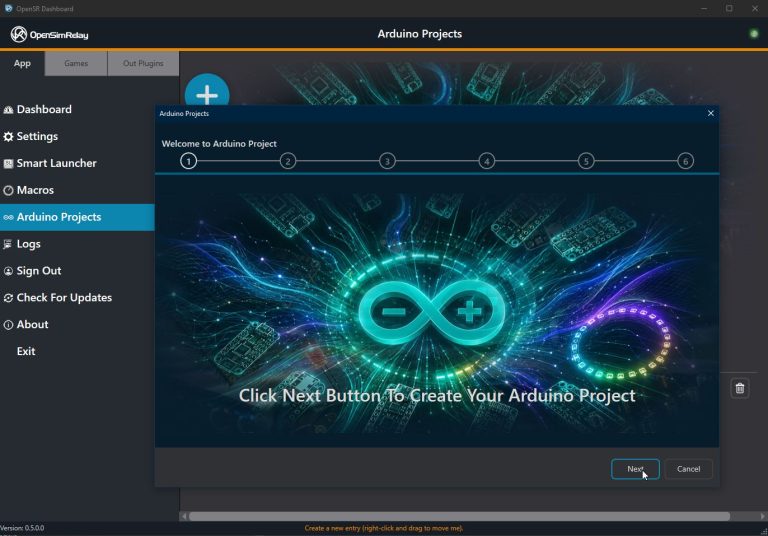
The SDK provides: sample headers and C++ templates, plus example wrappers/templates to help you build plugins in managed or scripted languages. Build the plugin into its folder (DLL/.osrp) with optional settings (XML/JSON/INI or settings.dll), drop it into the appropriate Game Plugins/ or OutPlugins/ directory, and the core will load it.
Can I use my own configuration format or UI for settings?
Absolutely. OpenSR natively manages a settings.xml file associated with each plugin, which allows basic configuration out of the box. However, developers can go further using the SDK to create their own custom settings UI (settings.dll) or use any configuration format they prefer such as JSON, INI, or even a database.
This flexibility lets each plugin define its own configuration workflow and user interface while still integrating seamlessly into the OpenSR plugin management system.
Community & Contribution
Where can I get plugins or share my own?
Community plugins will be listed on the project’s GitHub and future OpenSR forum. Developers can easily share precompiled (.osrp) plugins or source code.
How can I contribute to OpenSR?
- Developers can help by building new plugins or improving existing ones.
- Enthusiasts and testers can share feedback, test new versions, and suggest ideas for future features.
- Supporters who simply love the project can also donate to help us acquire more hardware, devices, and games for testing, every bit helps make OpenSR more compatible and reliable for everyone.
Every contribution counts, and being part of OpenSR means shaping a tool that connects virtual worlds to the real one.